
Housing parts are named with letters: A cover (lid), B cover (bezel), C cover (palmrest) and D cover (bottom case). They are identified by the exact laptop model and, even better, by the code printed inside them (for example AP2MB000410, 5CB0R07259 or L20314-001).
The size, colour and cut-outs (fingerprint reader, ports, DVD) must also match. If in doubt, send us photos of the inside and outside of your part and the exact laptop model.
Have the part code or the laptop model? Search for it
- In this guide:
- 1. What each part is: A, B, C and D
- 2. Where the code is
- 3. What must match
- Common questions
1. What each part is: A, B, C and D
Manufacturers and shops use the same letters:
| Letter | What it is |
|---|---|
| A | The back cover of the screen, on the outside, with the logo. Also called “lid”, “top cover” or “LCD back cover”. |
| B | The screen bezel, the plastic frame around the front of the screen. Also called “bezel” or “front frame”. |
| C | The palmrest or upper case of the base: where the keyboard and touchpad sit. Also called “top case”. |
| D | The bottom cover of the base, the one resting on the desk. Also called “bottom case” or “base cover”. |
Watch out for names: many people call the palmrest (C) the “top case” or “top cover” and the bottom case (D) the “back cover”. To avoid mix-ups, use the letters.
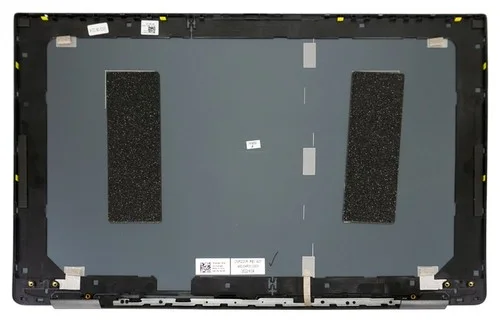
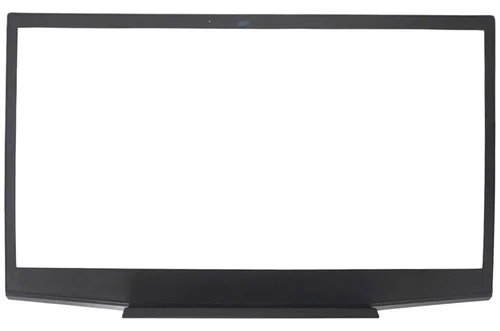
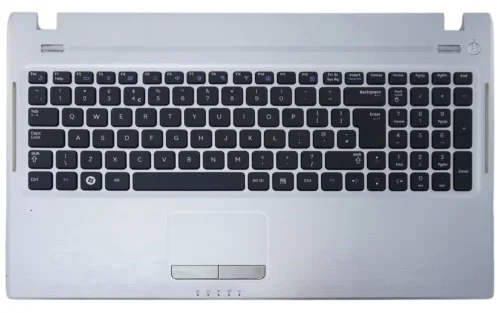
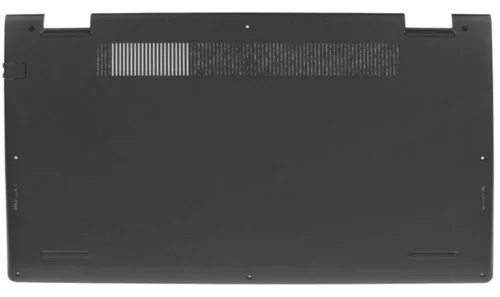
2. Where the code is
Almost every part has its code on the inside, on a sticker or moulded into the plastic. To see it you need to remove the part. If you can’t, the exact laptop model (on the sticker underneath, for example “15s-fq2001na” or “IdeaPad 3 15IIL05”) and photos of the part are usually enough.
| Brand | Example codes |
|---|---|
| Lenovo | 5CB0R07259, AP10T000C00 |
| HP | L20314-001, L62746-001 |
| Dell | 0Y5WDT (CN-0Y5WDT), AP1DK000600 |
| Asus | 13N0-PEA1501, 90NB0B31-R7A010 |
| Acer | 60.GD0N2.002, AP2MB000410 |
3. What must match
The same model can use different parts depending on the version. Compare yours with the product page on these points:
1Exact model and size
Same model and same version (for example 15IIL05 and 15ADA05 may differ), and the same screen size: a 14" housing won’t fit a 15.6" laptop.
2Colour and finish
Each part is sold in the colour shown on the product page; it usually isn’t available in other colours. If your laptop is a different colour, the part will fit but won’t match.
3Cut-outs and versions
Check the fingerprint reader, the DVD slot, the side ports, the air vents and, on the A and B covers, whether the screen is touch and where the camera sits.
4Palmrest with keyboard
Some palmrests (C) are sold with the keyboard fitted, because on those models it is riveted in and not sold separately. If that’s your case, also check the keyboard layout and backlight with the keyboard guide.
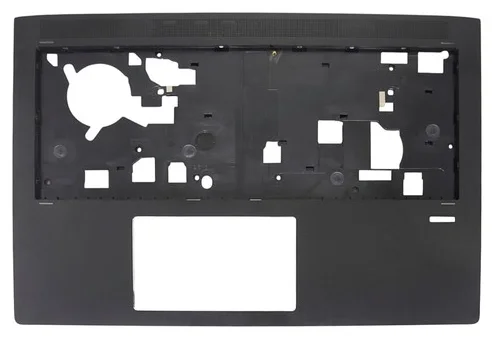
What each part includes
- Screws: not included; you reuse the ones from your laptop.
- Screen lid (A): comes with the brand logo even if it isn’t visible in the photo; no hinges, bezel or screen.
- Screen: sold without housing or hinges.
- Bottom case (D): just the housing, no components.
- Hinges: always sold as a pair, left and right.
Common questions
The hinge has come loose. Do I replace the hinge or the housing?
Look at where it’s broken. If the hinge is fine but the plastic mounts or screw posts it’s screwed into have snapped, it’s the housing you need to replace (usually the A or C cover). If the hinge is stiff, broken or bent, replace the hinges.
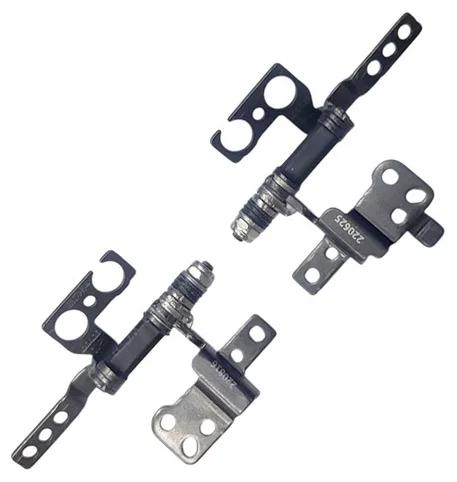
Can I buy just the left or the right hinge?
No: hinges are always sold as a pair, left and right. That’s what we recommend anyway, because if one has broken the other is usually just as worn.
Does the screen lid come with the logo?
Yes, the A cover comes with the brand logo even if it isn’t visible in some photos.
A tip for fitting it
Don’t overtighten the screws: the plastic screw posts in thin housings break easily, and damage caused during fitting isn’t covered by the warranty. If you’d rather not do it yourself, we can replace it for you through our repair service.
Would you rather we checked for you?
Send us photos of the inside and outside of your part and the exact model of your laptop, and we’ll tell you which one fits, usually within 1 working day.