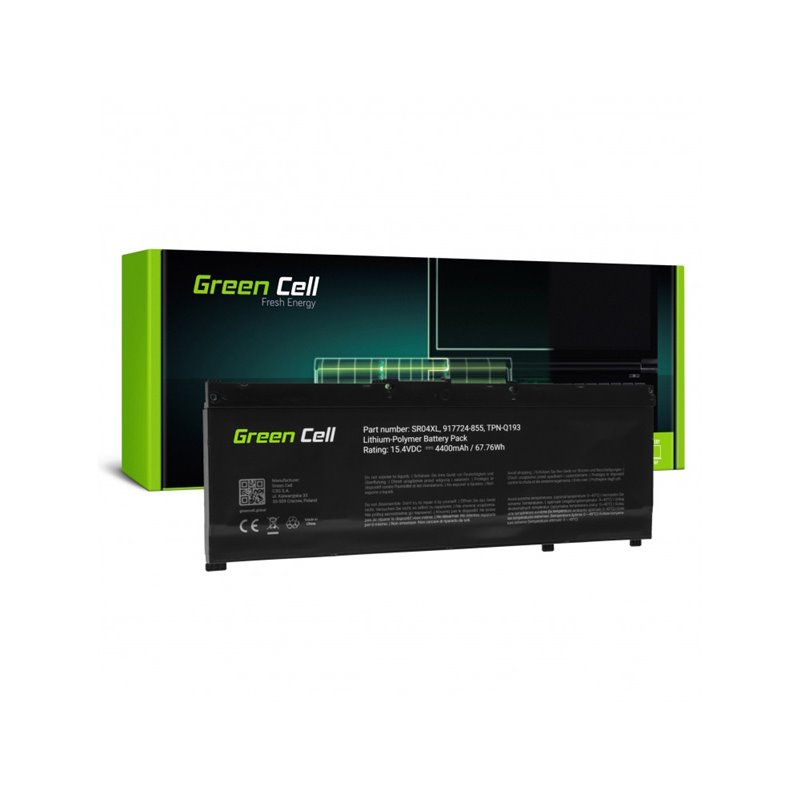


The BAT-HP187 battery is a replacement for HP Omen 17T laptops with 15.4V and 3500mAh capacity. This 4-cell Li-Polymer battery is new, verified by our technical service, and comes with a 3-year warranty and shipping from Spain in 24-48 hours.
BAT-HP187
BAT-HP187 Battery for HP Omen 17T Laptop - 15.4V 3500mAh 4-Cell Li-Polymer
4-cell Li-Polymer replacement battery, new and with 3 years warranty.
3500 mAh for extended autonomy.
15.4V, designed for stable performance in compatible devices.
4 Li-Polymer cells for higher energy density.
Integrated overvoltage and undervoltage protection for maximum safety.
The replacement battery with reference BAT-HP187 is the ideal solution to restore the autonomy and performance of your HP Omen 17T laptop. Designed with a capacity of 3500 mAh and a voltage of 15.4V, this 4-cell battery uses lithium polymer (Li-Polymer) technology to offer stable and long-lasting energy.
It incorporates protection circuits against overvoltages and undervoltages, ensuring the integrity of both the battery and the laptop. It is a new component, individually verified by our technical service to guarantee maximum quality and compatibility from the first use. Perfect for repair services looking for a reliable and durable component.
To replace the battery, ensure the laptop is completely turned off and disconnected from power. Remove the bottom case of the device to access the internal battery. Carefully disconnect the battery connector from the motherboard and remove the screws holding it. Place the new battery, secure it with its screws, and reconnect the cable to the motherboard. It is recommended to perform a complete initial charge and discharge cycle to calibrate the new battery.
For technical services and users who need to restore the autonomy of their HP Omen 17T laptop with a reliable replacement battery.
| Capacidad | 3500 mAh |
|---|---|
| Voltaje | 15.4 V |
| Number of Cells | 4 |
|---|---|
| Cell Technology | Li-Polymer |
| Color | Black |
| Protecciones | Overvoltage and undervoltage |
|---|---|
| Condition | New |
Always check the part number printed on your original part before ordering; if in doubt, contact us with the exact model of your device.
Yes, it is highly recommended. To calibrate the battery, charge it to 100% without interruption. Then, use the laptop until the battery is completely discharged and the device turns off. Finally, charge it back to 100% without using the device. This process helps the system recognize the real capacity of the new battery and display the charge percentage accurately.
We offer a 3-year warranty for private customers and 6 months for professionals. If the battery is not compatible or has any defect, you have 14 days to return it. You can manage the return yourself or request a home collection for €8.90 in Spain and Portugal, which will be deducted from the refund. Our technical team is available to assist you.
All our shipments are made from Spain. For orders in Spain and Portugal, the delivery time is 24-48 working hours if you place the order before 16:00 (Fridays, 15:00). For other EU destinations such as France or Germany, the delivery time is 48 to 96 working hours. You will receive a tracking number to know where your order is at all times.
Data sheet
No reviews yet for this product. After your purchase you will receive an email to leave yours.