
A charger is chosen by three figures printed on the label of yours: the voltage (V), which must be the same; the power (W) or current (A), which must be equal or higher; and the tip, which must be identical.
You can also search for the code of the original charger (for example “HP TPN-CA14”, “Lenovo ADLX65NDC3A” or the P/N) or the exact laptop model. If in doubt, send us a photo of the label and the tip.
Have the charger code or the laptop model? Search for it
- In this guide:
- 1. How to read the charger label
- 2. Identify the tip
- 3. What must match
- Common questions
1. How to read the charger label
Look at the label on the charger (the large box on the cable). What matters is on the OUTPUT line, not INPUT:
- Voltage (V): for example 19.5 V or 20 V.
- Current (A): for example 3.33 A.
- Power (W): volts × amps; 19.5 V × 3.33 A = 65 W. Sometimes it is printed and sometimes not.
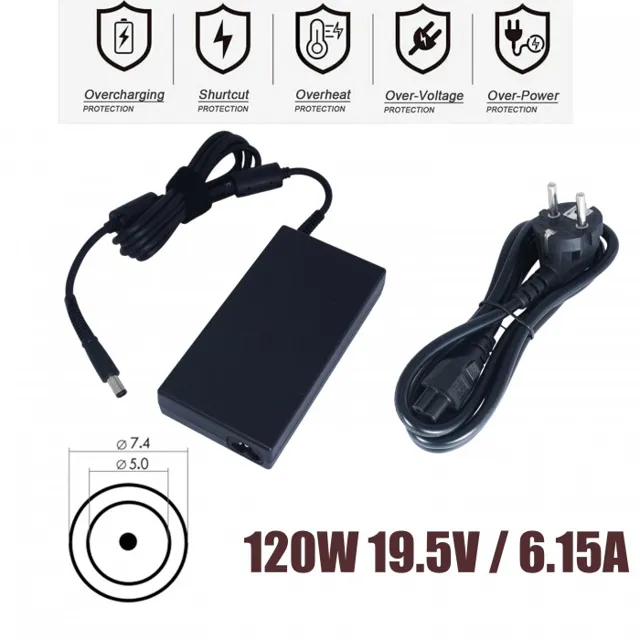
If you don’t have the original charger, these figures are usually also on the sticker underneath the laptop (the laptop’s INPUT) or in its manual.
2. Identify the tip
The tip must be exactly the same: same outer diameter, same inner hole and, if it has one, the same centre pin. The most common ones:
| Tip | Used by |
|---|---|
| 7.4 × 5.0 mm with pin | HP and Dell (black tip) |
| 4.5 × 3.0 mm with pin | Newer HP and Dell (blue or slim tip) |
| 5.5 × 2.5 mm | Asus, Toshiba, older Lenovo and many more |
| 5.5 × 1.7 mm | Acer |
| 4.0 × 1.35 mm | Asus ultrabooks |
| Rectangular (slim tip) | Newer Lenovo |
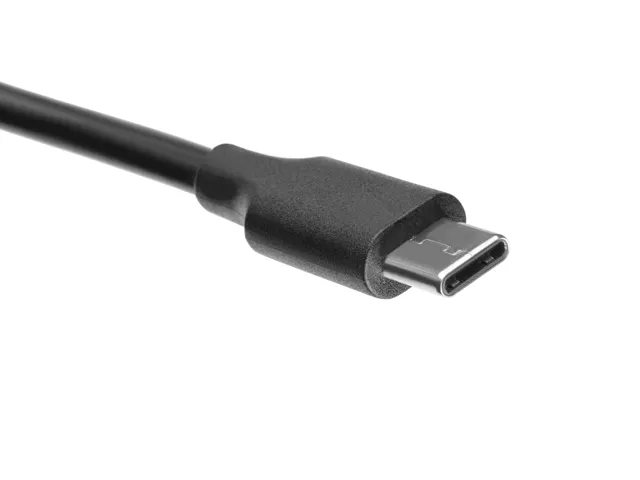
| USB-C | Modern laptops from almost every brand |
| MagSafe 1, 2 or 3 | Apple MacBook |
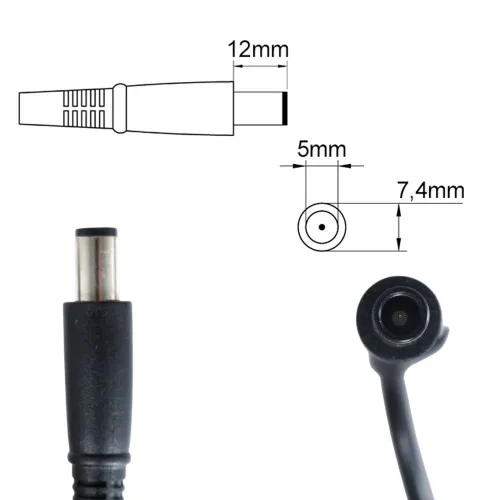
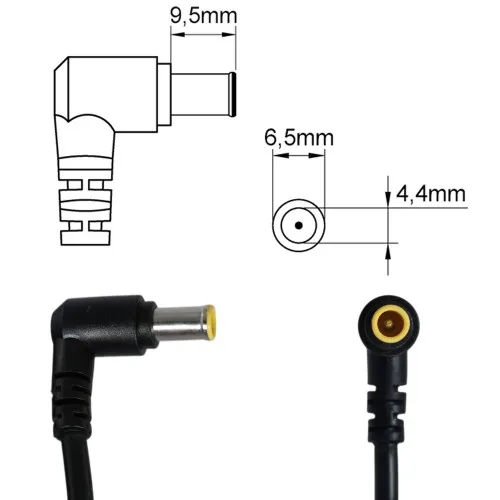
To measure it, the outer diameter is the width of the tip and the inner diameter is the width of the hole. If you’re not sure, a photo of the tip taken head-on next to a ruler is enough for us.
3. What must match
Get these three right and you can’t go wrong:
1Voltage (V): the same
It must be what your laptop requires. 19 V and 19.5 V are used interchangeably on many models, but if in doubt, ask us: a different voltage can damage the laptop or fail to charge it.
2Power (W): equal or higher
A higher-wattage charger is safe: the laptop only draws what it needs. A lower one may not charge, may overheat or may make the laptop slow when used plugged in. For example, if yours is 65 W, a 65 W or 90 W charger will do, but not a 45 W one.
3The tip: identical
Same size and, on HP and Dell, the centre pin too: that pin tells the laptop which charger it is. With a charger that lacks it or doesn’t identify itself, the laptop may warn “AC adapter type cannot be determined” (or “unknown adapter”) and not charge the battery.
4If your laptop charges via USB-C
You need a USB-C charger with Power Delivery (PD) rated at least at your laptop’s wattage (45, 65, 100 W…). A phone charger is usually low-powered: it may charge very slowly or not at all. Also check that your laptop’s port supports charging: it usually carries a lightning-bolt or plug symbol.
What can be different
- Charger brand: original or compatible with the same figures; the warranty is the same: 3 years for consumers.
- Higher power: more watts with the same voltage and the same tip.
- Cable shape and length: make no difference.
Common questions
I don’t have the original charger. How do I know which one I need?
Look at the sticker underneath the laptop: it usually shows the input voltage and current, and the exact model (for example “15s-fq2001na”). Search for the model on our website or send it to us and we’ll tell you which one fits.
My laptop says “AC adapter type cannot be determined”
This mainly happens on HP and Dell when the centre pin isn’t making good contact or the charger lacks the identification chip. Check that the tip goes all the way in and that the pin isn’t bent. If the charger is one of ours and it keeps happening, contact us: we’ll check it under warranty.
Can I use a higher-wattage charger?
Yes, as long as the voltage and tip are the same. It’s safe and, on powerful laptops, it charges faster or stops the battery draining while you use it.
My charger gets warm. Is that normal?
Being warm is normal, especially when charging and using the laptop at the same time. If it’s too hot to touch, smells of burning or makes noise, unplug it and stop using it. Don’t cover it with blankets or cushions.
Would you rather we checked for you?
Send us a photo of the charger label (or the laptop sticker) and of the tip, and we’ll tell you which one fits, usually within 1 working day.